The Opera browser for iOS now has the company’s free VPN service built into the app. VPN is already available in Android, Windows, Linux and Mac versions of the browser.
Opera says it encrypts users’ VPN traffic, and it does not store logs of usage. statement The official site also states that the VPN does not collect any personal data from users’ history or origin network address. The VPN also has an ad blocker to protect users from ads. The company says it works closely with Apple’s Intelligent Tracking Prevention to block third-party tracking cookies and also blocks cookie prompts.
Note: You must enable “Block Cookie Prompt” from the app’s Settings > Ad Blocking page.
Opera’s VPN for iOS is rolling out to users, and it may take a few weeks for it to be available to all users. I was able to access it on my iPhone.
How to Enable VPN in Opera Browser for iOS
1. Open the Opera browser on your iPhone or iPad.
2. Access the app’s menu.
3. Tap the option that says “VPN (Early Access)”.
4. iOS will prompt you whether you want to add a new VPN configuration or not. Allow it, and it will ask you to enter your device’s passcode to add the VPN.
5. That’s it, Opera VPN should now be activated on your device. A VPN label will appear on the status bar.
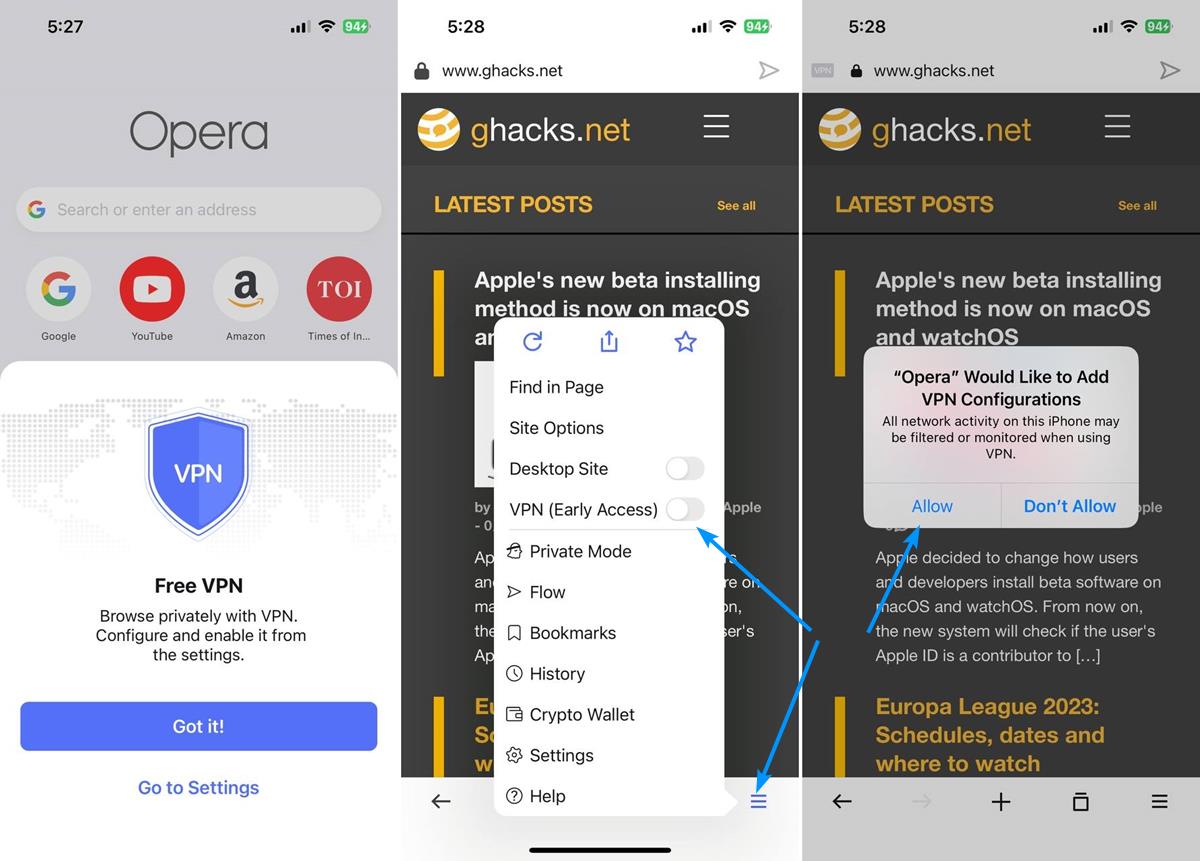
To disconnect the VPN, simply disable the option in Step 3. You can manage the VPN from the browser’s settings, which can be accessed from the menu.
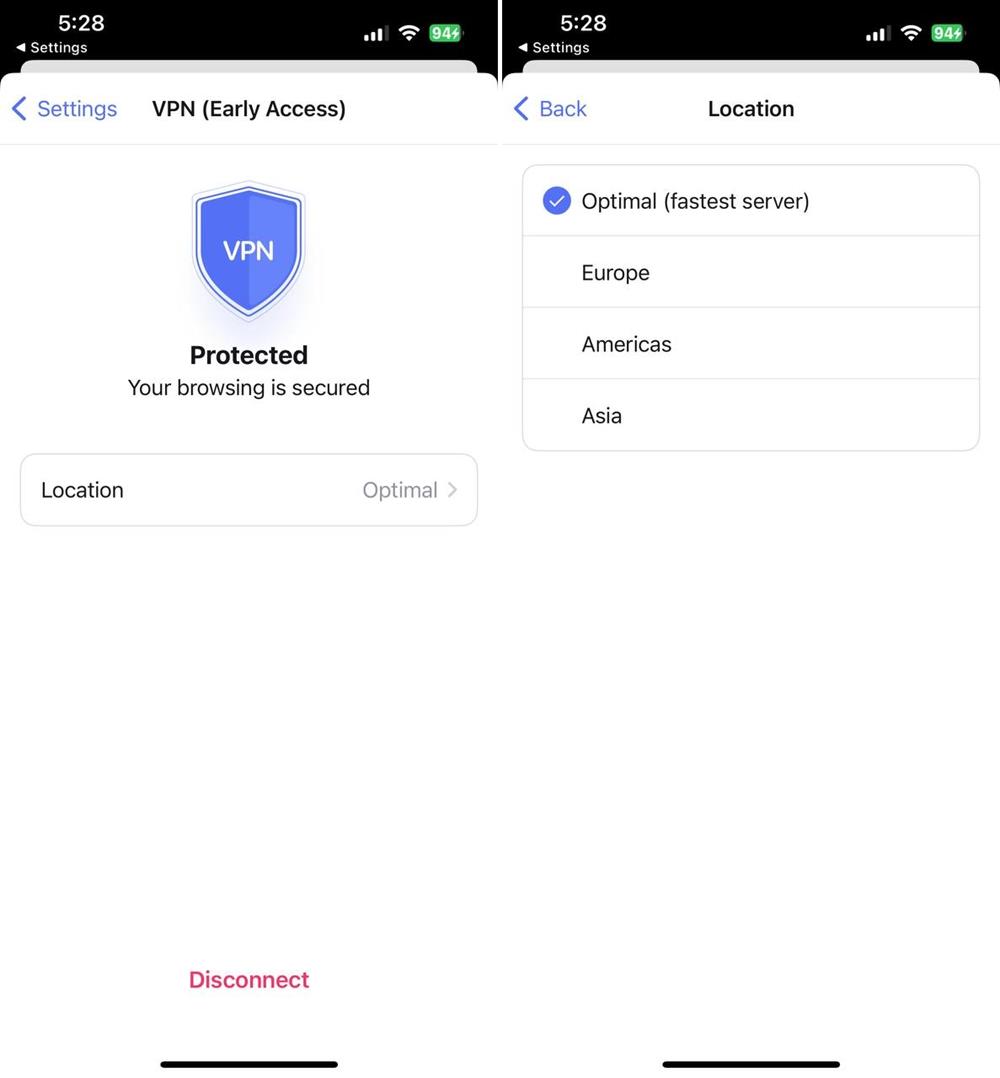
Tap on the VPN option at the top of the page, it has a big badge that indicates the current status of the network, i.e. tells you whether it is enabled or not. You can disconnect the VPN by tapping the button at the bottom of the screen. Another option of interest here is location. Tap it to see what’s available, it’s by default Optimal, i.e. the fastest server, but you can manually choose to connect to one of the following locations: Europe, America or Asia.
Other notable features in Opera for iOS
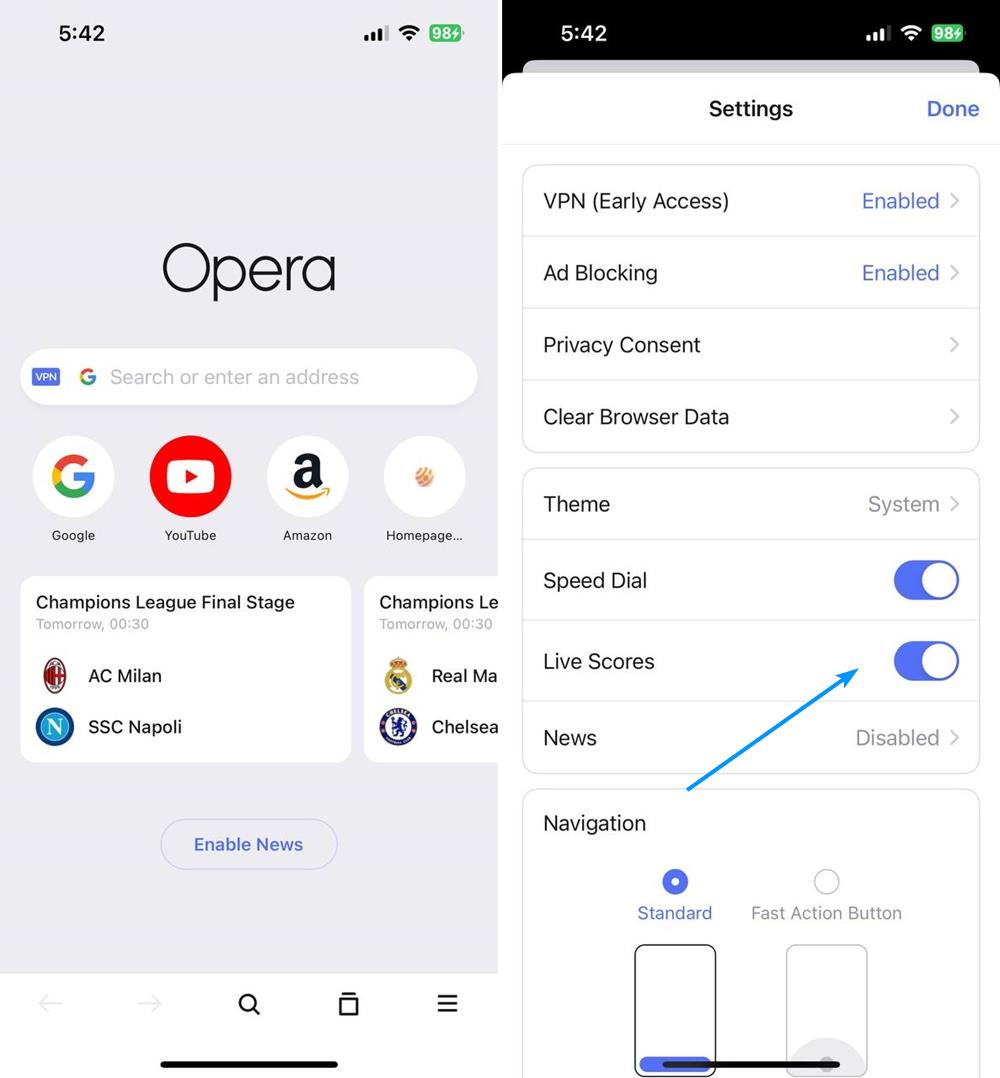
The latest version of Opera for iOS adds support for bookmarks. Users can now organize their favorite sites on their iPhone, and even add them to Speed Dial that can be accessed in a new tab page. Speaking of the new tab, there’s another feature that football fans might appreciate. Opera’s browser for iOS now displays live scores of ongoing soccer matches. It also shows the date and time of upcoming games in your local time zone. You can disable the live score option from the app’s settings.
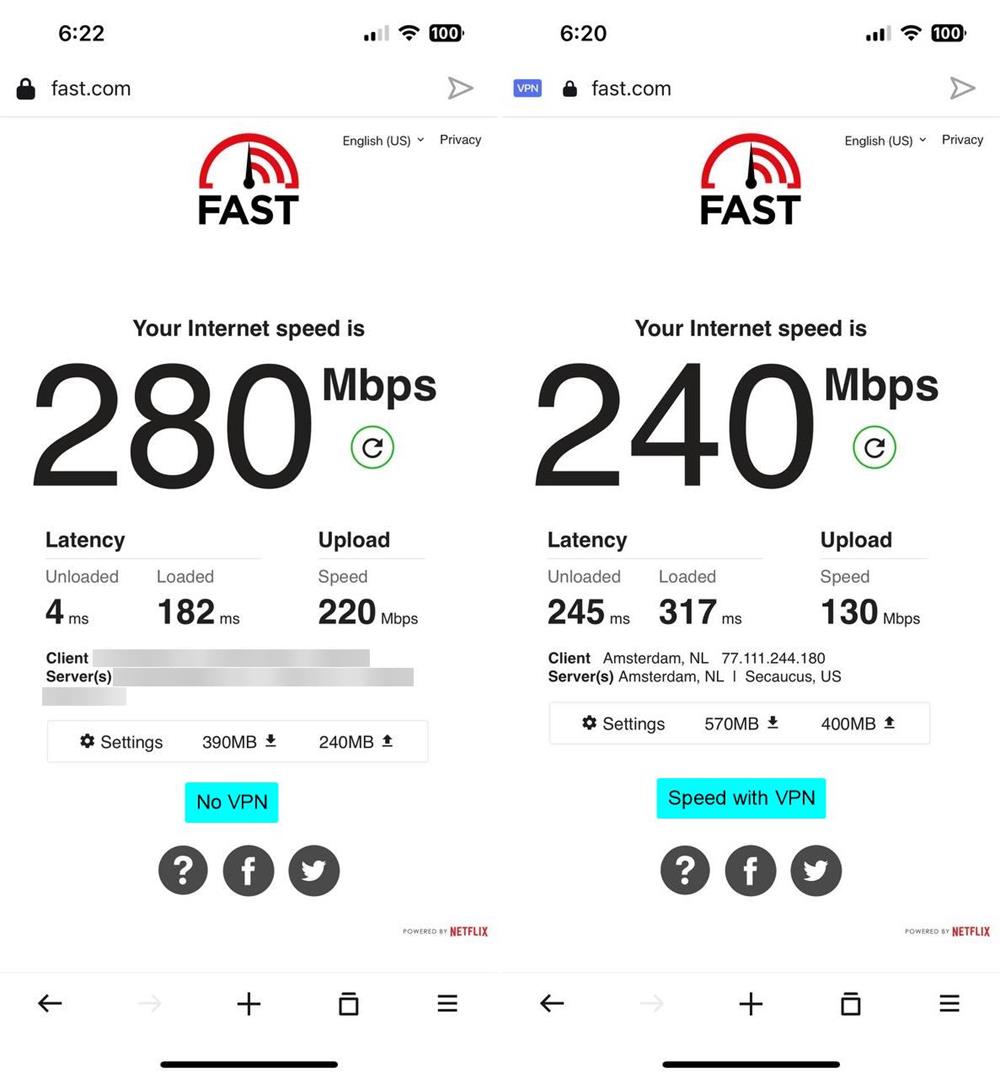
Remember, Opera’s VPN is not a system-wide option, it’s only available through its browser. That said, Opera’s VPN seems to be quite fast even if latency is high, which could be useful if you’re traveling or only have access to public Wi-Fi networks.
Download Opera Browser for iOS app Store Free to use VPN. If you want a proper VPN that can be used in any app, you may want to use something like ProtonVPN, it’s free and offers unlimited use (except P2P).