AnyMP4 iPhone Transfer Pro is a simple piece of software that allows you to transfer files between your iPhone and computer.
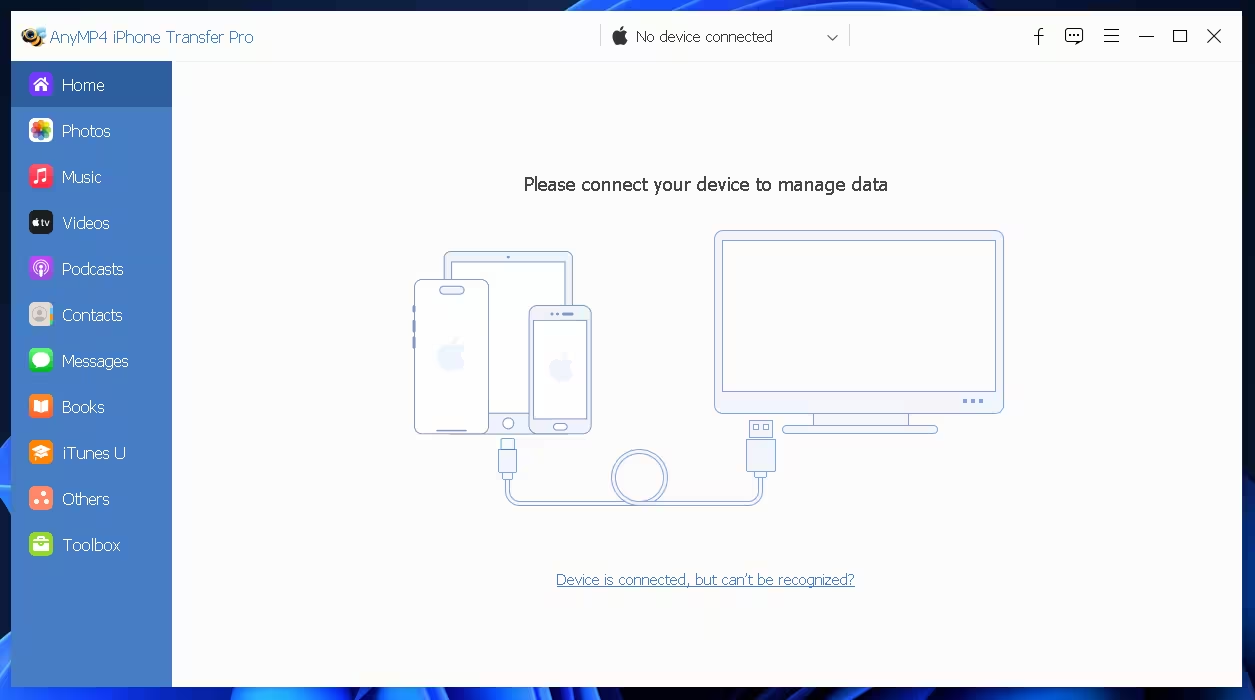
You can use this iPhone transfer software for Windows as an alternative to iTunes, which allows you to easily transfer iPhone Images and Photos from iPhone to PC.
Many people already know that iTunes is not good enough to manage files on your iOS devices. As a way to get around this, you can use this software that acts as a file manager between your computer and iOS devices.

You can use the program to transfer photos, music, movies, text messages, contacts, and voicemail. Additionally, the app lets you back up your iPhone contacts and text messages to your computer.
As an additional note, you should also know that the app works with most of Apple’s mobile devices. It works with all iPhones, iPods, and iPads.
AnyMP4 iPhone Transfer Pro Features:
- Transfer Data from iPhone iPad iPod to PC/iTunes.
- import video music photos from PC For iPhone iPad or iPod.
- Transfer data files between iOS devices.
- Quickly delete one or more iPhone contacts from your iOS device.
- Add a new contact by filling in the information easily.
- Delete or merge duplicate contacts for iOS devices.
- Edit and modify contact information for name, number, image etc.
- Create and organize contact groups like family and friends.
- Contacts, messages, and books can all be moved from one iOS device to another with just one click.
- It’s easy to create a backup copy of all your iOS data in one click. You can do this quickly and safely at a 1:1 ratio.
- One-click contact backup and restore.
- Sync to iTunes library.
- Create iPhone ringtone.
- Convert HEIC Images.
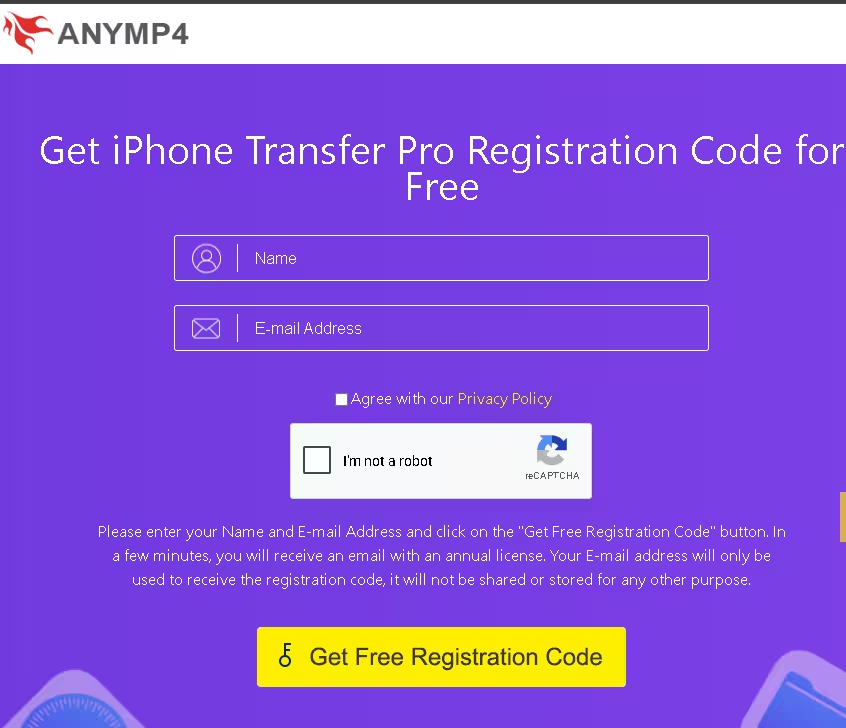
Get AnyMP4 iPhone Transfer Pro for free:
Visit this gift page: https://www.anymp4.com/special/
Simply type in your details (name, email, etc.), press the “I agree to privacy” button to confirm, select “I am not a robot” to complete the reCAPTCHA, and then press the “Get Free Registration Code” button.
You will receive an email from “registration@anymp4.com” with the registration code or license code; Copy this.
Download the installer or setup file from the developer’s website https://www.anymp4.com/download.
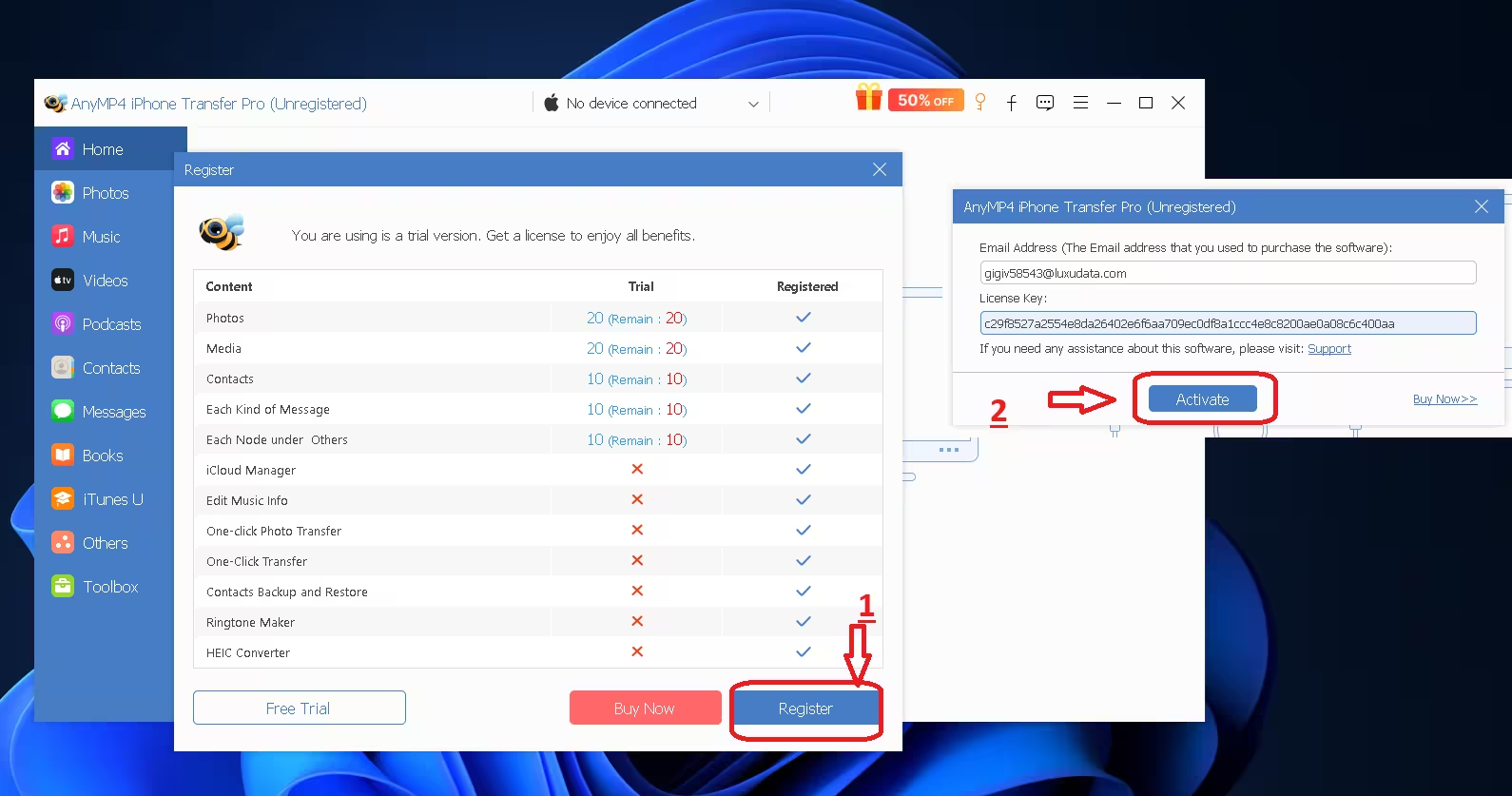
Install the software and unlock the full version with the license code received.
Learn more from Techno360
Subscribe to get the latest posts delivered to your email.