Linux Mint 22.2 is here. The update is called Zara, here’s what’s new in it.
Mint 22.2 is based on Ubuntu 24.04 LTS, and will be supported until 2029. It comes with Linux kernel 6.14.
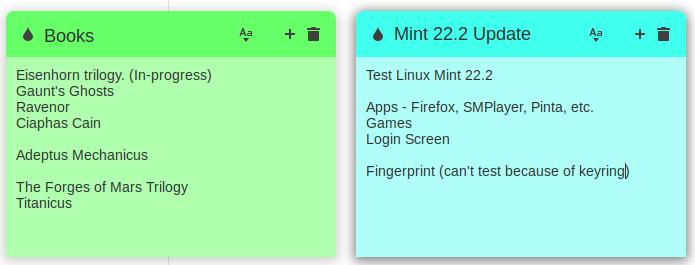
Sticky Notes now has rounded corners, and the app is compatible with Wayland. Android users can use a companion app called StyncyNotes to sync their notes between their Linux system and phone. App available for download F-Droid repository. It uses SyncThing to sync, hence the name StyncyNotes.
Linux Mint 22.2 adds a subtle blur effect to the login screen, with the background of the login box blurred. It now also displays your user avatar.

Mint 22.2 comes with a new XApp called FingerWit, which is used for fingerprint authentication. It is used for screensavers, sudo commands, admin apps (pkexec). To add a fingerprint you’ll need to enter your password, after which you’ll need to use your computer’s fingerprint reader to add the scan.

Unfortunately, it didn’t make it past the first scan for me. My device (04f3:0c4f) is supported by libfprint, so I’m not sure what’s wrong. Anyway, I couldn’t test it at all. It’s also worth noting that the login screen still requires you to type a password if you use home directory encryption or keyring.

The Software Manager home page has been redesigned, and the Eye button on app listings now differentiates between flatpacks and system packages. When an update needs to be restarted, the Update Manager will display a reboot button on the taskbar.

Linux Mint 22.2 changes the default mint-y theme slightly, it is now less gray and a little more blue.

(Image courtesy: Linux Mint)
LibAdwaita is designed to work with themes and now supports Mint-Y, Mint-X, and Mint-L. LAN based file-sharing app, warpinatorNow available for iOS.
IPTV app, Hypnotix, now supports two additional modes. Theater mode hides the controls and menus, but still displays the title bar. The hotkey for theater mode is F6.

(Image courtesy: Linux Mint)
Borderless mode hides everything including the border, the title bar, although you use the Alt key to move the window around. Borderless mode can be toggled with the F7 keyboard shortcut.

(Image courtesy: Linux Mint)
The app has been updated to startup faster, searching large playlists is also faster. Hypnotics will not reset the volume when you switch channels.

For a full list of changes, known issues, please visit release notesand this blog article On Linux Mint’s website.
If you don’t see the Linux Mint 22.2 update yet, open the Update Manager and click Edit, and you should see the option to update to 22.2. Or, you can download the ISO of your choice here https://www.linuxmint.com/.

It is unclear when Linux Mint Debian version 7 (codenamed “Gigi”) will be released.
Have you updated to Mint 22.2?